Sharing your wedding invitation on WhatsApp is an art — from picking the right file format to navigating family group etiquette. Here's the complete guide for Indian couples.
Sending your wedding invitation on WhatsApp in India is deceptively simple on the surface — open chat, attach file, send. But anyone who has tried it with a 400-person guest list knows the full picture. Which family group do you post to first? What if your video invite is too large for your massi's phone to download? What happens when the invite gets the dreaded "forwarded many times" label and starts looking like a chain message? This guide covers every step of sharing your digital wedding invitation on WhatsApp — from preparing the right file format to the exact etiquette that keeps your announcement feeling personal, even when it's going to 400 people at once.
What Makes a WhatsApp Wedding Card Work in India
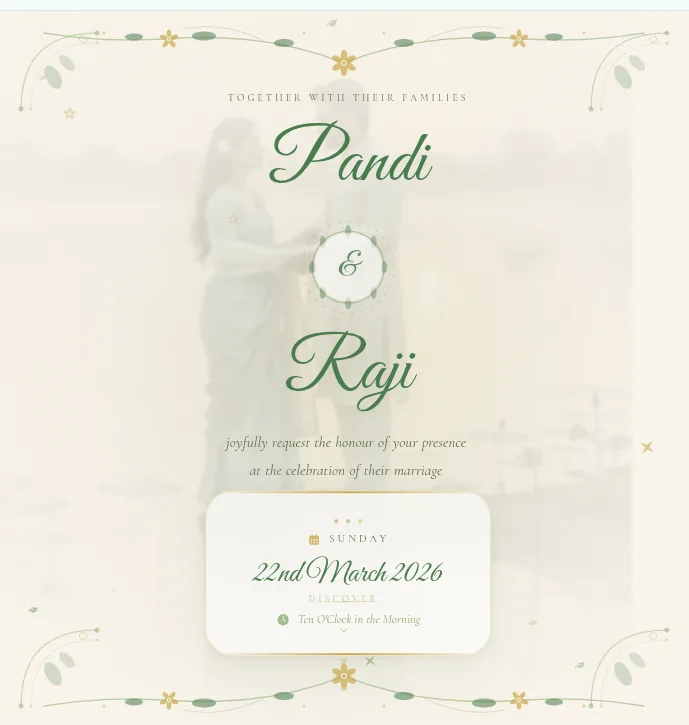
A WhatsApp wedding card works when three things align: the file opens instantly on any phone, it looks beautiful in the chat preview, and it does not lose quality after being forwarded through three family groups. Magical Star designs every digital invitation — video or static — specifically for WhatsApp distribution. That means MP4 videos kept under 20 MB, high-resolution images that stay crisp at full size, and formats that render correctly on both Android and iPhone without any special app. The result is an invitation that feels premium from the moment someone taps it open, regardless of what phone they are holding.
The Unspoken Rules of Sharing Wedding Invitations on WhatsApp
There are things no invitation vendor ever explains. The "forwarded many times" label is every couple's nightmare — it makes your carefully designed WhatsApp wedding card look like a meme being passed around. The fix is simple: always send the original file directly from your phone rather than forwarding something that has already been forwarded. Then there is the family group dilemma. You have the main family group, the cousins group, the college group, the office group — and each requires different timing and tone. Most couples drop the invite in all groups simultaneously, which feels like a mass broadcast. A better approach: send personally to immediate family first, then post to extended groups. For elderly relatives who struggle with large video files, keep a lightweight static e-invite ready — a 1 MB image that loads on a 2G connection is far more respectful than a 15 MB video they cannot open. And NRI guests in different time zones need the invite at a reasonable local hour, not at midnight IST. The etiquette of calling after sending to confirm your uncle in Coimbatore actually received it is very much still alive — and still the right thing to do.
What You're Paying For: Magical Star Pricing
Before we get into the steps, it helps to know what format you are starting with. At Magical Star, both video and static formats are priced identically — so your choice is driven by what works best for your guest list, not your budget.
- Static e-invite (image): ₹900–₹1,200 — WhatsApp-optimised JPG or PNG, loads instantly on any phone, crisp chat preview
- Video invitation (MP4): ₹900–₹1,200 — cinematic motion graphic with background score, compressed for WhatsApp delivery
- Both formats include revisions until you are completely satisfied — no extra charges
- Delivery within 24 hours (static) or 48 hours (video) from confirmed order
- You receive the final file ready to share — no editing apps or extra steps needed on your end
How to Send Your Wedding Invitation on WhatsApp: Step by Step
- 1Save the invitation file directly to your phone's local storage first. Never share directly from the WhatsApp Downloads folder — files stored there may already be compressed from a previous delivery. Ask Magical Star to send the original file via Google Drive if needed.
- 2Create a WhatsApp Broadcast List for your primary guest tier. Open WhatsApp, tap the three-dot menu, and select New Broadcast. Add your contacts. Each recipient receives the invite as a personal message with no group label, and replies come only to you. Perfect for the first 100–150 close family and friends.
- 3Send to immediate family personally before any group or broadcast. Parents, siblings, in-laws — message them individually with a warm line alongside the invite. "Amma, here is our invitation — please save the date!" hits very differently from a group drop.
- 4For extended family WhatsApp groups, post the invite with a short text caption: names, wedding date, venue name, and RSVP contact number. Never assume everyone reads an invitation carefully — a two-line summary saves you forty follow-up calls.
- 5For NRI guests or contacts abroad with slow connections, share a Google Drive link alongside the WhatsApp file. This gives them the option to download at full quality on their own network speed without WhatsApp compressing it.
- 6Wait 24–48 hours, then follow up with a personal call to elderly relatives who have not acknowledged receipt. Most will have missed the notification or need help opening the file. This call is not an extra step — it is the invitation.
- 7Save the Magical Star-provided original file in Google Drive or iCloud as your master copy. Weeks later, when someone asks for a resend, you have the original-quality file and not a re-forwarded, compressed version.
WhatsApp Group vs Broadcast List: Which to Use for Wedding Invites
- Broadcast List — recipients receive the invite as a personal message, cannot see who else got it, replies come only to you. Best for the main guest list where you want the experience to feel one-to-one.
- Group message — everyone sees each other's replies, creates shared excitement. Best for close friend circles or immediate family where the group reaction is part of the fun.
- Using a broadcast list means the "forwarded many times" label never appears, keeping the invite looking freshly sent.
- You can save up to 256 contacts per broadcast list — create separate lists for family, friends, and colleagues to manage each tier.
- Never add guests to a WhatsApp group without their consent just to send the invite — it feels intrusive and people often leave the group before the wedding even happens.
Sending Your Digital Wedding Invite to International and NRI Guests
- Send to NRI guests during their local morning hours — an invite that arrives at 3 AM their time gets buried by breakfast.
- WhatsApp compresses video files over 16 MB by default. Share a Google Drive link alongside the WhatsApp send so international guests can download full-resolution quality.
- Include a time zone note in the caption for key events: "Muhurtham at 10:30 AM IST = 6:00 AM BST / 1:30 AM EST" — saves your NRI guests from missing the ceremony.
- For guests in countries with limited 4G, a static e-invite (under 3 MB) is far more reliable than a video file that might time out mid-download.
- A voice note in the family's native language — Tamil, Telugu, Hindi — alongside the invite bridges the warmth gap that a digital file alone cannot always cover.
How Our Couples Shared Their Invitations on WhatsApp
Ananya and Deepak from Mumbai sent their Magical Star invitation via WhatsApp to 300 guests and shared their experience with us: "Sharing on WhatsApp was effortless and every relative loved it. A truly premium experience at a very reasonable price." Their invite was screenshot and reshared in groups they were not even part of — the design did the distribution work for them. Priya and Karthik from Chennai had an equally warm response: "The invitation was so beautiful, our guests thought we hired a top designer. Magical Star truly lives up to its name!" Both couples followed the same principle — a high-quality optimised file, sent personally to the closest circle first, then posted to broader groups. When the design is right, the reactions take care of themselves.
The Magical Star Approach to WhatsApp-Ready Invitations
Meera Nair, Senior Production Designer at Magical Star, explains the process: "Every invitation we produce goes through a WhatsApp stress test before the final file reaches the couple. We check how the video thumbnail renders in a chat preview, how the image looks in the notification popup, and how the file behaves when someone forwards it twice. We have been doing this since 2020 and we have learned that an invitation which is technically beautiful but looks blurry in a WhatsApp preview is a failed delivery." With over 2,000 wedding invitations produced across Chennai, Hyderabad, Bangalore, Mumbai, and the diaspora, that accumulated experience goes directly into every file we hand over.
Want to see exactly how your invitation will look when it lands in a WhatsApp chat? [Contact our team for a free preview →](/contact)
Frequently Asked Questions
Can I send a video invitation on WhatsApp?
Yes — WhatsApp supports video files up to 100 MB, though files over 16 MB may be automatically compressed. Magical Star optimises all video invitations to under 20 MB so they share cleanly without visible quality loss. Recipients on both Android and iPhone can open them directly in WhatsApp without any additional apps or downloads.
What is the ideal file size for a WhatsApp wedding invite?
For static e-invites in image format, under 3 MB is ideal — it loads instantly in any chat on any connection speed. For video invitations, 8–20 MB is the sweet spot: small enough to share smoothly over 4G, high enough quality to look crisp on a modern smartphone. Magical Star delivers both formats pre-optimised to these sizes, so you do not have to compress anything yourself.
Should I use a WhatsApp group or broadcast list for wedding invitations?
For most of your guest list, a broadcast list is the better choice. Recipients receive the invite as a personal message (not tagged as a group message), the "forwarded many times" label never appears, and all replies come only to you — keeping the experience intimate even at scale. Reserve WhatsApp groups for close-knit circles where you want the shared reaction and conversation to happen openly.
How do I send wedding invitations to international guests on WhatsApp?
WhatsApp works internationally wherever there is an internet connection. Send during the recipient's local daytime, include a time zone note for the ceremony time, and share a Google Drive download link alongside the WhatsApp file for the best resolution. For guests with slow connections, a static e-invite under 3 MB is more reliable than a video file.
Can I track who has seen my WhatsApp wedding invitation?
In a broadcast list, WhatsApp shows double blue ticks per recipient so you can see who has opened the message. In a group, long-pressing the message reveals per-person read receipts. For formal RSVPs, include a "Please reply YES / NO" instruction in the caption, or add a Google Form link — neither WhatsApp method gives you an automatic headcount.
How much does a digital wedding invitation for WhatsApp cost?
At Magical Star, both video and static digital wedding invitations are priced at ₹900–₹1,200, fully customised and WhatsApp-optimised. The price includes all revisions and delivery within 24–48 hours. There are no extra charges for WhatsApp formatting — the file you receive is already ready to share.
Sending a wedding invitation on WhatsApp in India is one part preparation, one part etiquette, and one part trusting your designer to give you a file that holds up across every phone and connection it touches. Start with a properly optimised invitation, use broadcast lists for scale and personal messages for warmth, and always keep the original file saved so nobody gets a compressed fourth-generation forward. [Start your WhatsApp-ready invitation with Magical Star →](/contact), or [browse the full template collection](/templates) to find the style that matches your celebration.
Tags